Display
Current Time on GAME, Pre-Match and Post-Match
Explains what SHOW TIME changes visually without altering match state.
What happens
GAME shows the PC time in place of the game clock. Pre-Match and Post-Match retain their scene and add a centred CURRENT TIME / HH:MM panel that does not replace score or fixture content.
Display text fitting and multiline formatting
Explains how the renderer keeps scoreboard text inside its allocated boxes and how operator-selected Pre/Post text sizes differ from automatically fitted game text.
What happens
GAME names, scores, clock, PP text, penalty rows and shots are fitted to their predefined boxes. Pre-Match/Post-Match information fields honour the selected font size and explicit line breaks rather than silently shrinking the operator's chosen size.
Clock
Regulation format and intermissions
Documents the standard regulation timing model and direct NIHL timing requirements relevant to this scoreboard.
Automatic period progression
Explains what the app does when a regulation period or intermission reaches zero, including the protected manual End regulation route from P3.
Regular-season overtime
Explains the app's standard OT setup and the directly supported NIHL regular-season rule.
What actually runs when the clock runs
Explains which counters advance for each clock state and why pausing the main clock also pauses penalty countdowns.
Clock direction and tenths display
Explains how the visible time is calculated from the stored remaining time.
What happens
Count Down shows remaining time. Count Up starts at 00:00 and advances toward the configured period length.
Add Time is a referee correction: it increases stored remaining time, so count-down moves upward while count-up visibly reverses toward 00:00. Shootout MAIN displays --:-- and Current Time displays the PC local time as HH:MM.
Score and shots
Score and shots state
Explains what is automatic and what remains an operator correction.
What happens
Home/Guest score and shots are rendered directly from the authoritative model and are never allowed below zero. Adding a goal can also invoke the power-play penalty-cancellation calculation; changing shots does not change score and a goal does not automatically add a shot.
When to use itPositive goal entry is blocked while the scoreboard clock is running; stop the clock first. Score corrections that reduce a value and shot corrections are clamped at zero.
Related: Home goal, Guest goal, Power-play goal cancellation
Game flow
Post-Match transition and final score
Explains when the app enters Post Match, how Start intermission ends regulation in Period 3, and where the final score comes from.
Steps
- Automatic: a regulation winner at P3 00:00 goes straight to Post Match.
- Manual official early end: stop the clock, press ADMIN > Clock > Start intermission and confirm End regulation.
- With a winner, RinkScore sets P3 to 00:00 and enters Post Match; with a tie, it starts the OT intermission instead.
What happens
The final score shown is the live Home/Guest score in the model; it is not copied into a separate final-score field. A P3 winner never needs an unnecessary post-game intermission.
Related: Start intermission, End intermission, Embedded preview
Timeout
30-second timeout calculation
Explains exactly what a team timeout changes in the app.
When to use itA team timeout can start only from a stopped game context. It is rejected while the scoreboard clock is running, throughout Warm-up even when Warm-up is paused, while another timeout is active, or while Current Time is displayed.
View screen
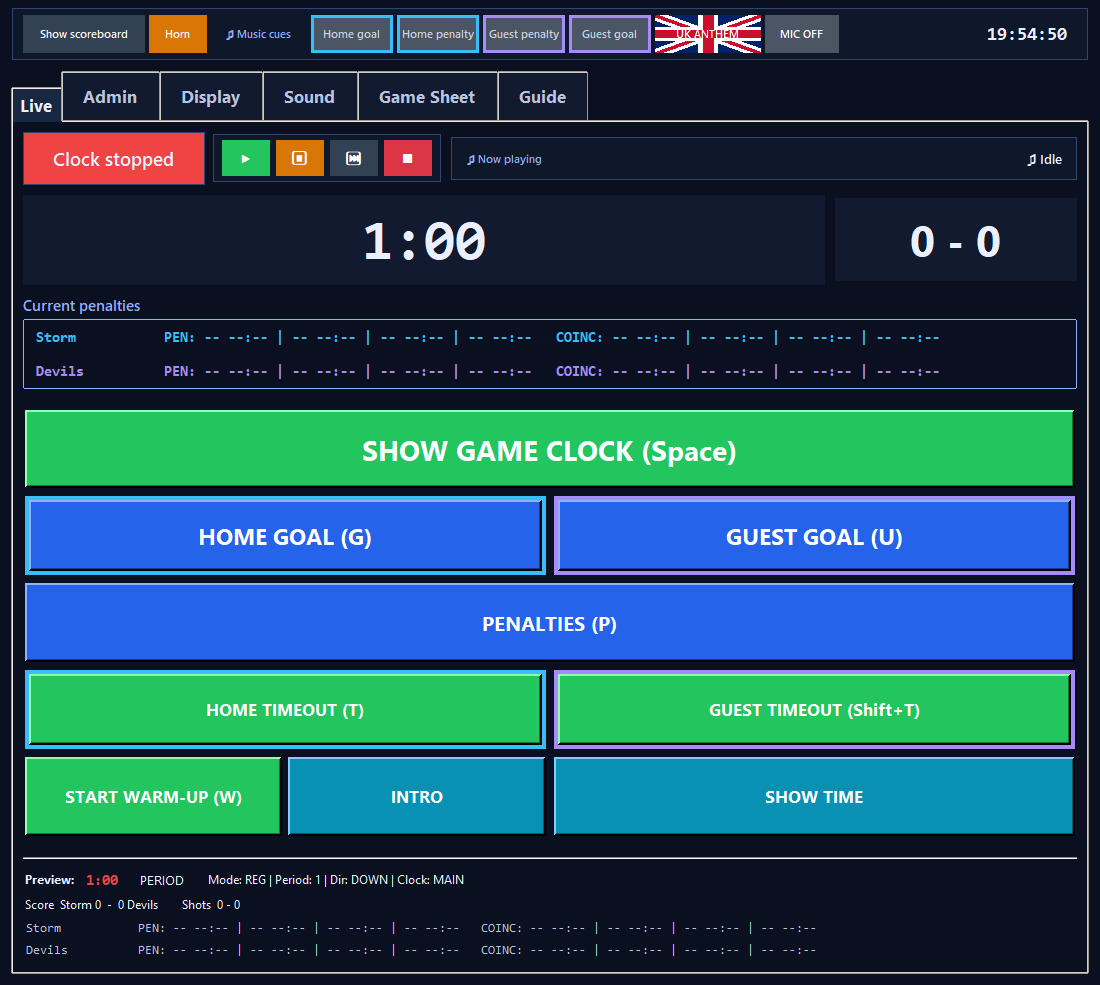
Live match controls
Penalties
2:00 Minor
Two-minute non-coincidental penalty that normally reduces team strength and can be ended by a qualifying opponent power-play goal.
What happens
Can occupy one of the team's first two visible normal penalty slots; numerical strength and PP text update from the active strength-affecting queue.
View screen
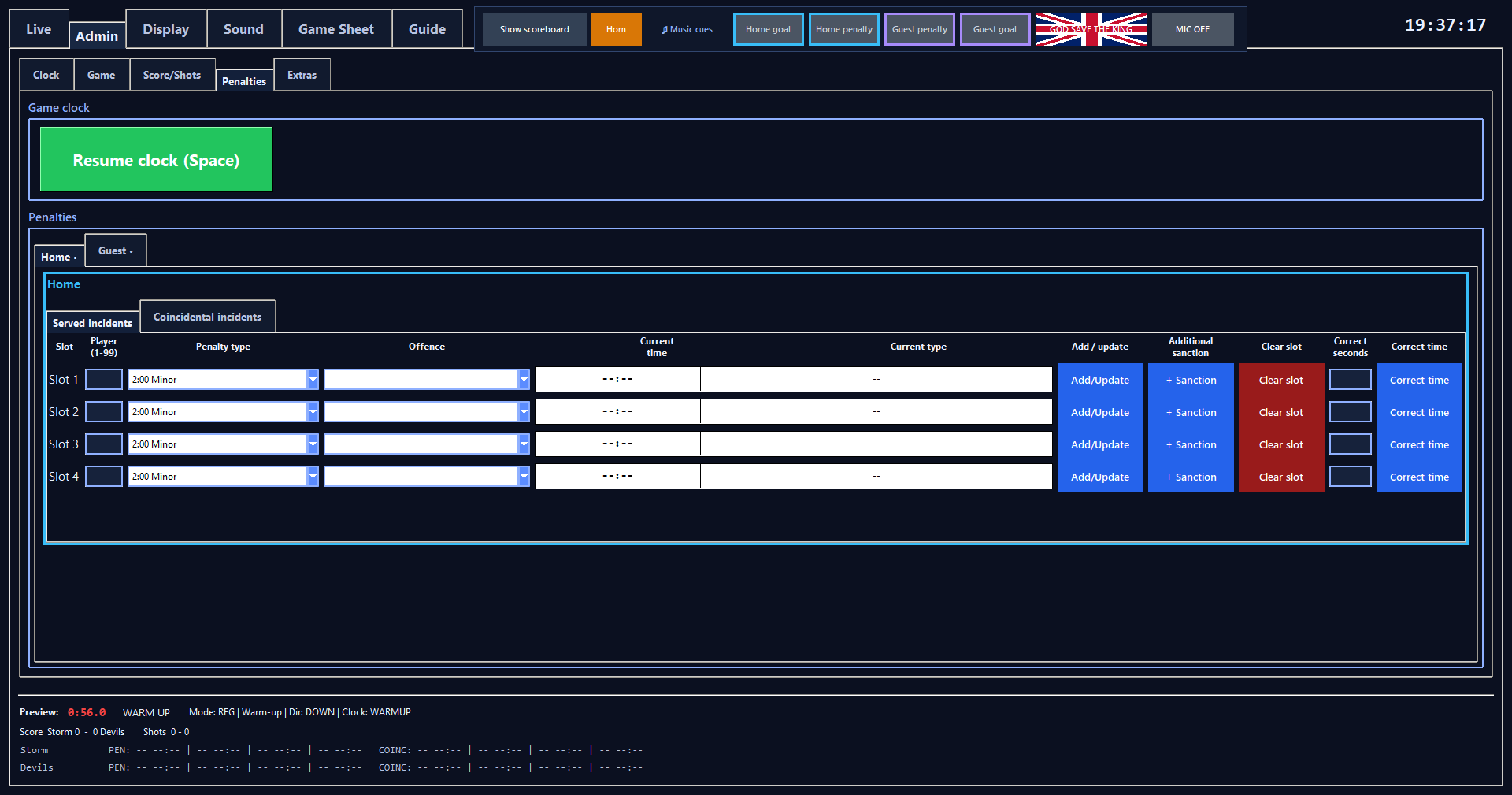
Served penalty controls
4:00 Double Minor (2+2)
Four-minute penalty implemented as two consecutive 2:00 stages.
What happens
During stage 1 the displayed total is current stage remaining plus another 2:00; during stage 2 only that stage remains.
View screen
Served penalty controls
5:00 Major
Five-minute strength-affecting penalty that is PP eligible for the scoreboard indicator but is not cancelled by a power-play goal.
View screen
Served penalty controls
10:00 Misconduct
Ten-minute penalty clock that does not reduce displayed numerical strength and is not PP eligible.
View screen
Served penalty controls
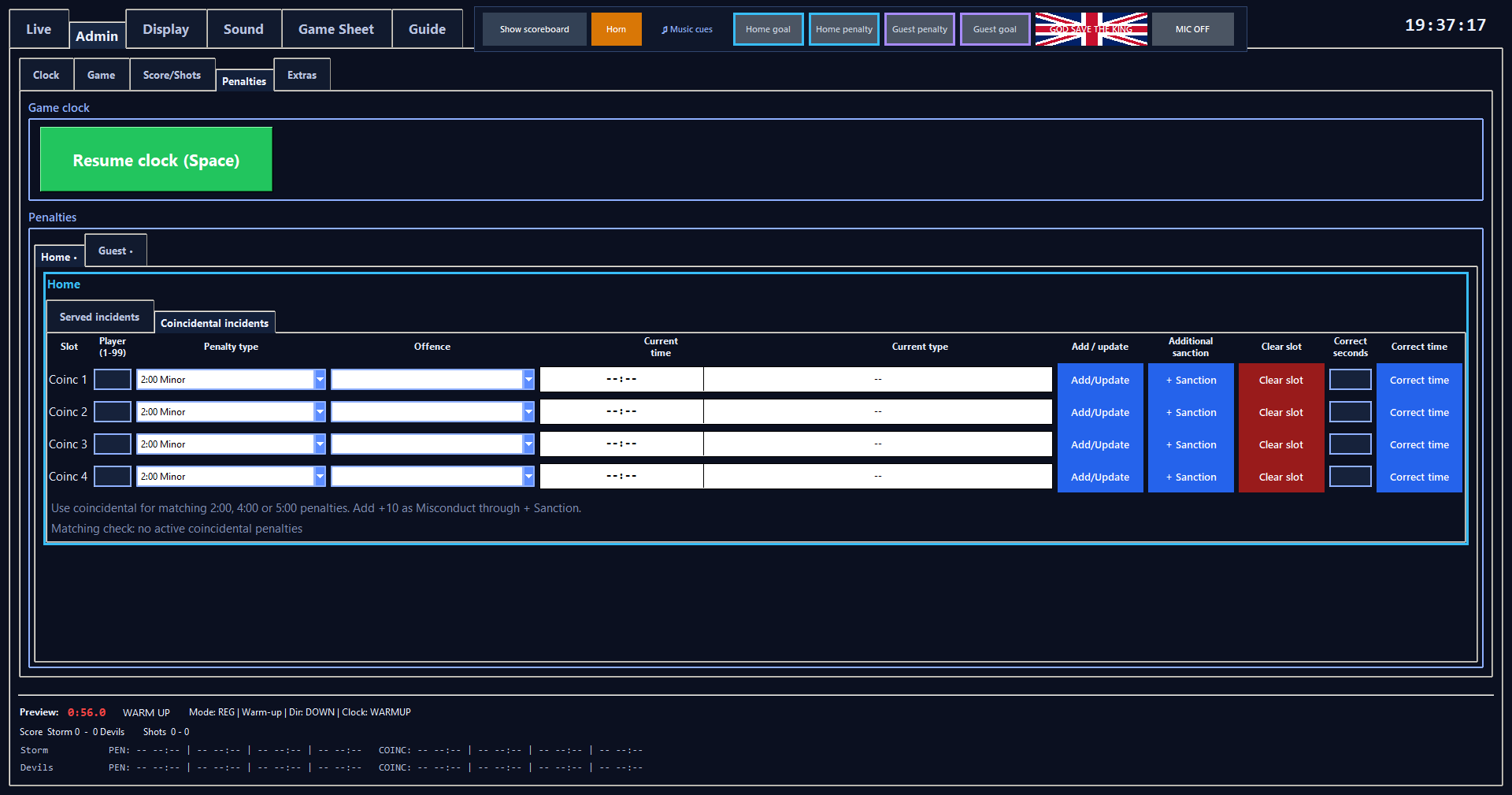
Coincidental penalties
Reference/countdown penalties stored separately from the normal scoreboard penalty slots.
What happens
They do not alter displayed numerical strength and are not eligible for PP cancellation. Their editor labels them separately and they do not occupy the normal visible penalty slots.
View screen
Coincidental penalty controls
Penalty queueing and countdown
Explains which queued penalties actually count down.
View screen
Served penalty controls
Regulation skater-strength calculation
Calculates the Home and Guest skaters shown by the scoreboard in regulation.
View screen
Served penalty controls
3-on-3 overtime strength calculation
Calculates the scoreboard's OT skater strength by adding skaters to the non-offending side.
View screen
Served penalty controls
PP Home / PP Guest indicator
Explains how the text under the clock is selected.
What happens
Normal regulation 5v5 and base OT 3v3 are blank. Equal penalty-created strength such as 4v4 remains visible as strength text.
When one side has more skaters and the short side has a PP-eligible active penalty, the line shows PP Home or PP Guest and the shortest eligible remaining segment. OT and 5v3 forms include the numerical strength.
For a Double Minor, PP time uses only the current 2:00 stage, not the whole remaining 4:00 total.
View screen
Served penalty controls
Power-play goal cancellation
Explains exactly when scoring clears an eligible penalty segment.
View screen
Served penalty controls
Penalty expiry
Explains what happens when a penalty countdown reaches zero.
View screen
Served penalty controls
Music
Effective music volume
Explains why a song can be quieter than any one slider suggests.
Music trigger precedence and contexts
Explains which automatic/manual music wins as the game state changes.
When to use itThe Home goal, Home penalty, Guest penalty and Guest goal header cues mirror the corresponding LIVE event availability. They are greyed out and blocked while the MAIN game clock is running and throughout Warm-up, including paused Warm-up.
They remain available during Intermission and whenever MAIN is stopped. All four cues are also greyed out and blocked whenever Music Enabled is OFF.
HORN is unaffected by these music-cue locks.
Automatic song selection
Explains recent-song avoidance, preference weighting and fairness.